

Applicable Models
· Jeton AC1200 Air
· Jeton AC1300 Air, Jeton AC1300 Air BK
· Jeton AX3000 Air, Jeton AX3000 Air BK
· Jeton AX3000 Pro
· Jeton AX3000 Core
Overview
Some ISPs bind the Internet service to the MAC address of the device used during registration — your computer or a previous router. The MAC address cloning feature copies that address onto your Jeton Tech router, so the Internet works right away without calling your ISP to re-register the device.
Step 1
Go to [Advanced Mode].
For detailed steps, please check How to enter the Advanced mode.
Step 2
Open [Network] → [Network Config].
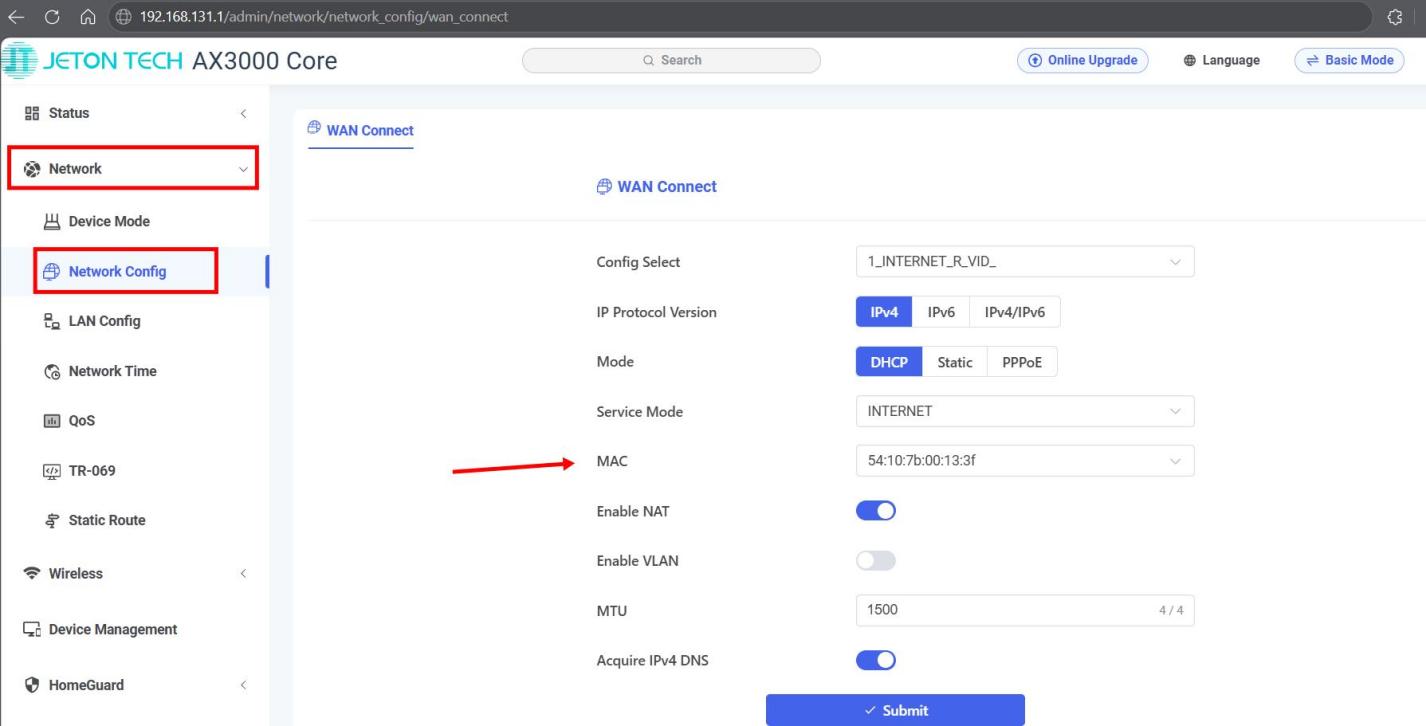
Step 3
In the window that appears, you can:
– Enter the desired MAC address manually.
– Or clone the MAC address of a device already connected to the router.
After making the changes, save the settings by clicking Confirm.